
AI interview prep that starts from your real interviews
Tsenta's AI interview prep (Beta) finds your interviews in your job email, or takes ones you add by hand, and builds practice for each interview's company, role and round. Tsenta Interview prep covers AI mock interviews for any role, coding and system design practice for tech roles, and private feedback on a real interview once you add its transcript.
Interview prep is the Interview tab of your Tsenta dashboard on the web, in the same account where Tsenta finds roles, tailors your résumé, applies and tracks the replies. The agent that applies for you also gets you ready for the interviews those applications bring.
An interview preparation platform for screens, technical rounds and panels
- Any roleAI mock interviewRehearse the exact round you have next out loud, or by typing, with an AI interviewer that asks one question at a time and pushes on vague answers. Every answer comes back scored, behavioral answers get a STAR check, and the report says what to work on next.See how mock interviews work
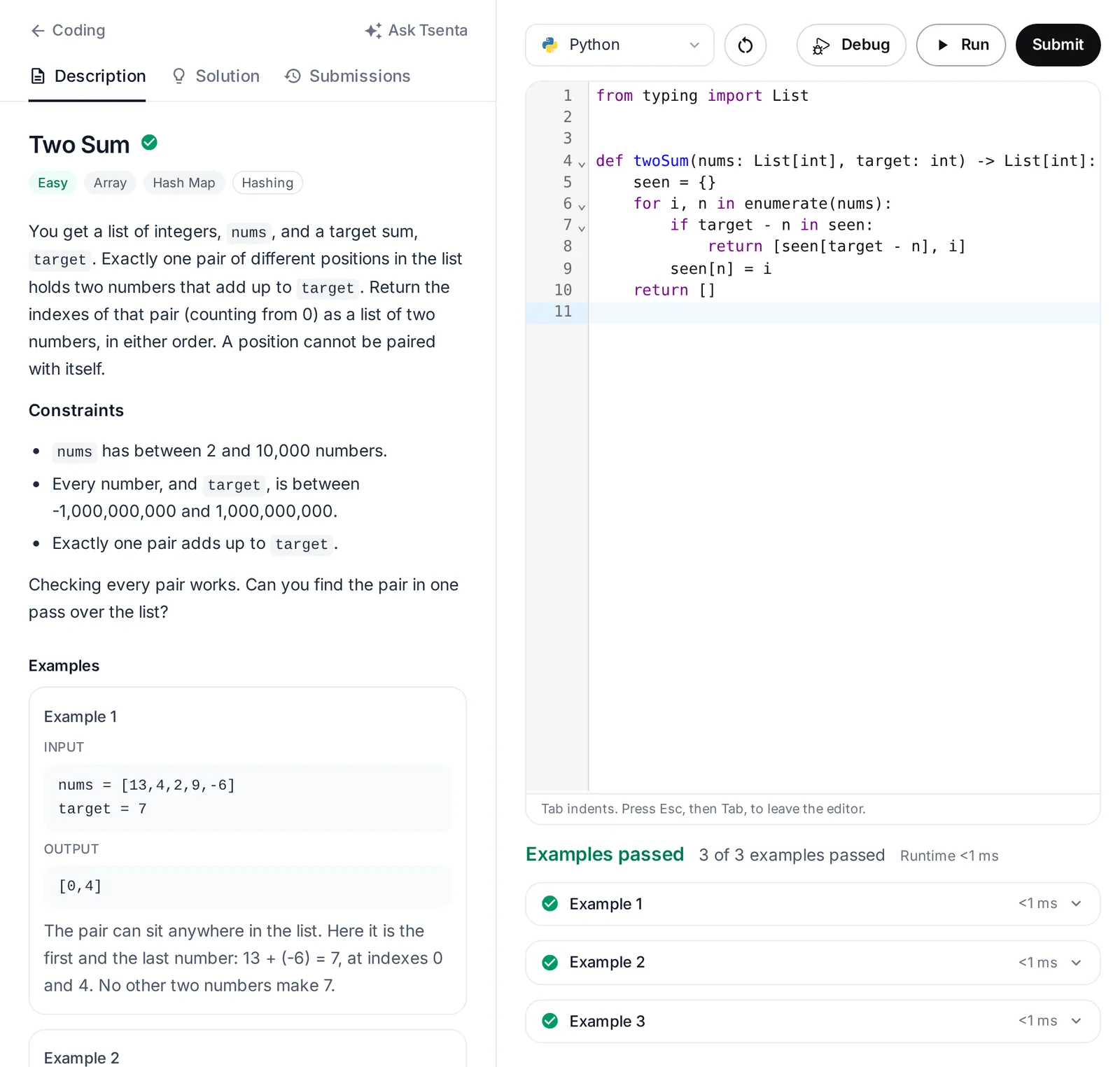
- Tech rolesCoding interview practiceWork through 3,400+ problems in eight languages plus SQL, written in Tsenta's own words and drawn from public, community-kept lists of the questions 650+ companies ask. Run checks the examples and Submit adds hidden tests, in an isolated sandbox. Before a software engineering or data science technical round, start with that company's list when it is in Tsenta's coding index.See how coding practice works
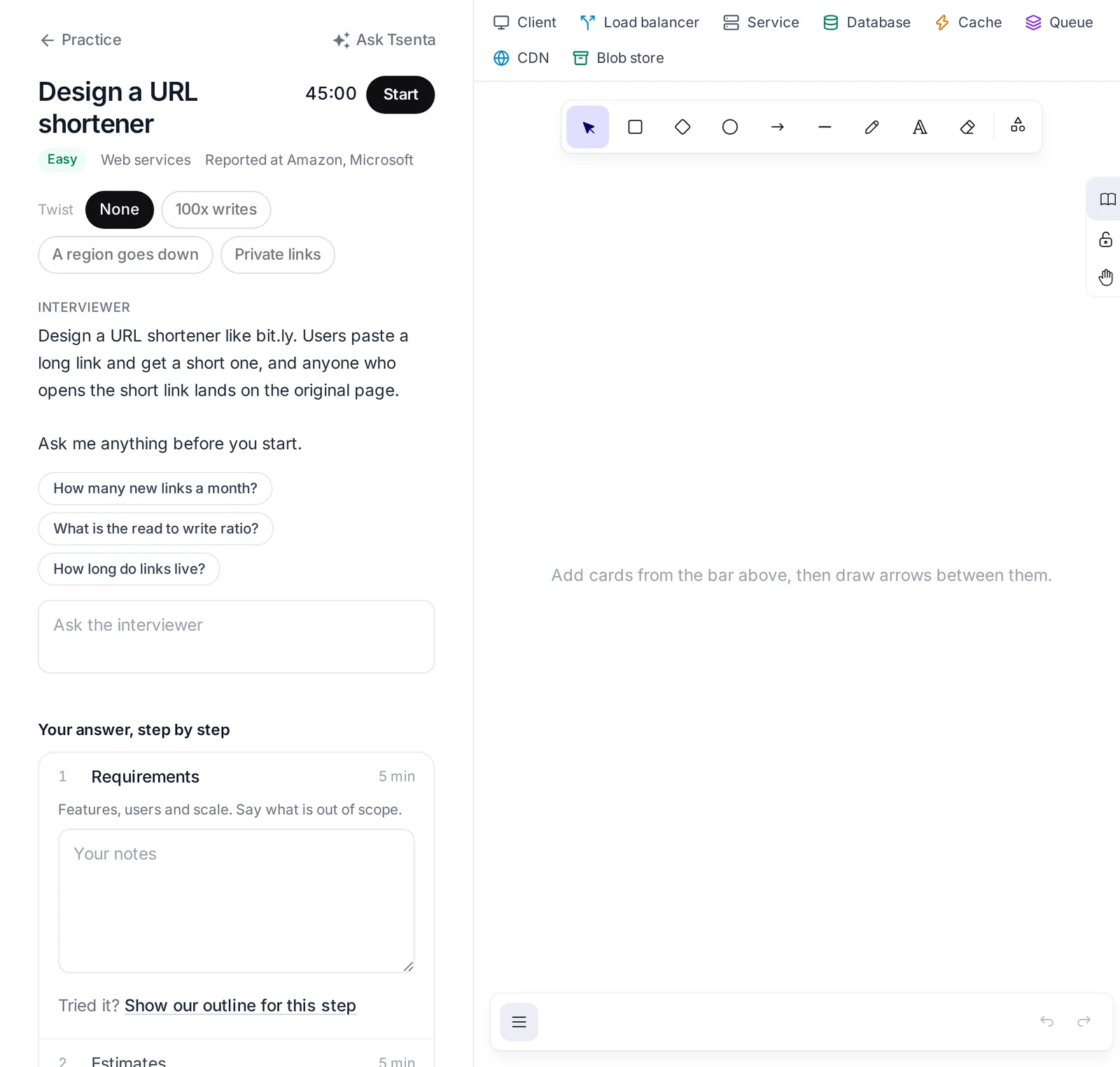
- Tech rolesSystem design interview practiceLearn the core ideas in a 20-lesson course that grows one link shortener, Snip, from a single server out to many regions, with an animated scene in every lesson and 42 concept cards beside it. Then design any of 100 classic prompts against a 45-minute clock and check your whiteboard yourself against Tsenta's reference design and rubric.See how system design practice works
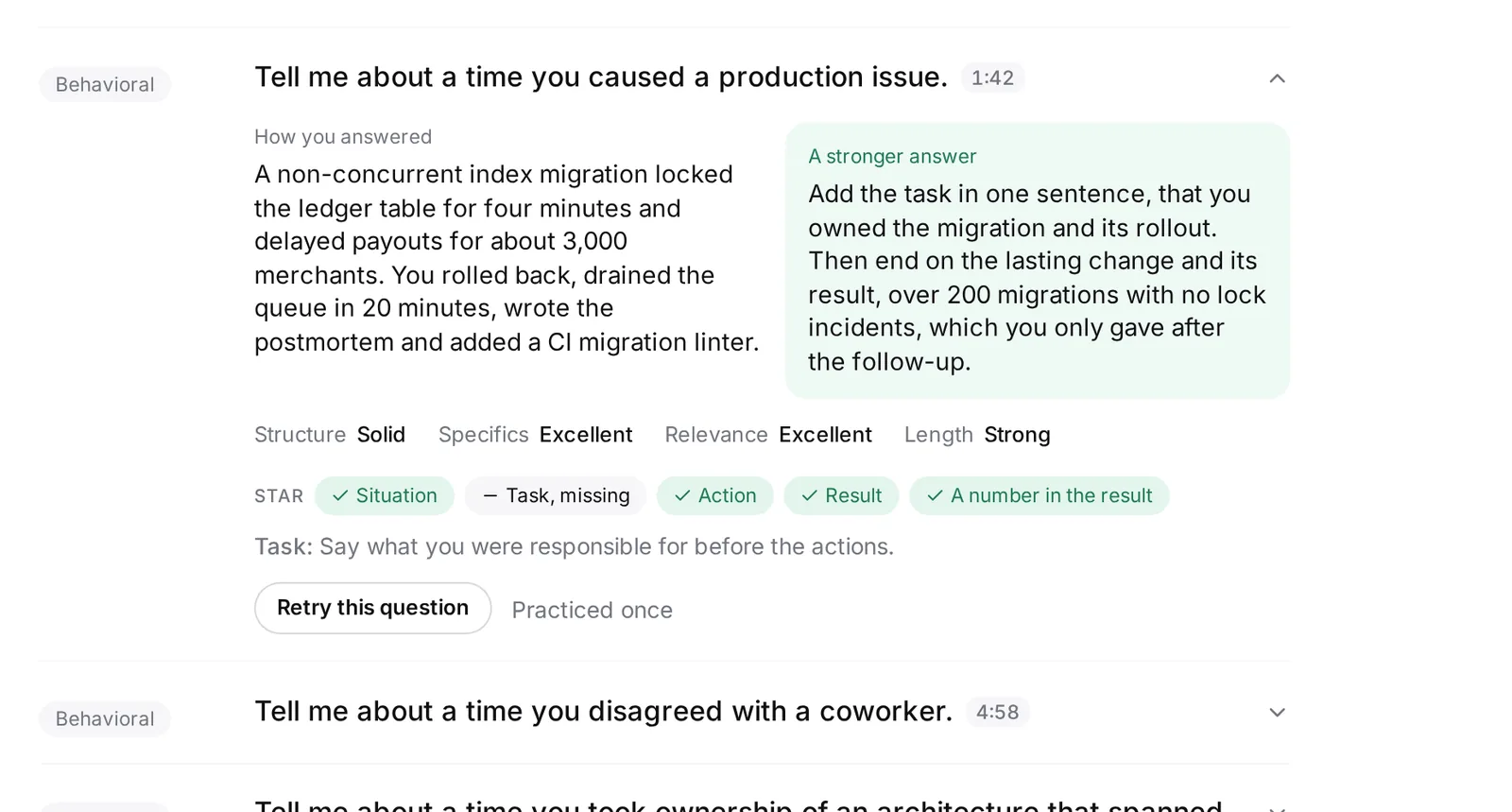
- After the interviewFeedback on a real interviewAdd the transcript of an interview you already had, or paste a recap labeled Interviewer and Me, and Tsenta rates every answer with a stronger way to put it. Only you see the result, and it includes concrete prep for the round that follows.See how interview feedback works
Job interview preparation in four steps
- Step 1
Tsenta finds the interview, or you add it
Connect your job email and Tsenta picks out your interviews, upcoming and past. If it missed one, add it by hand and it gets a card like the rest.
- Step 2
Next up says what to practice
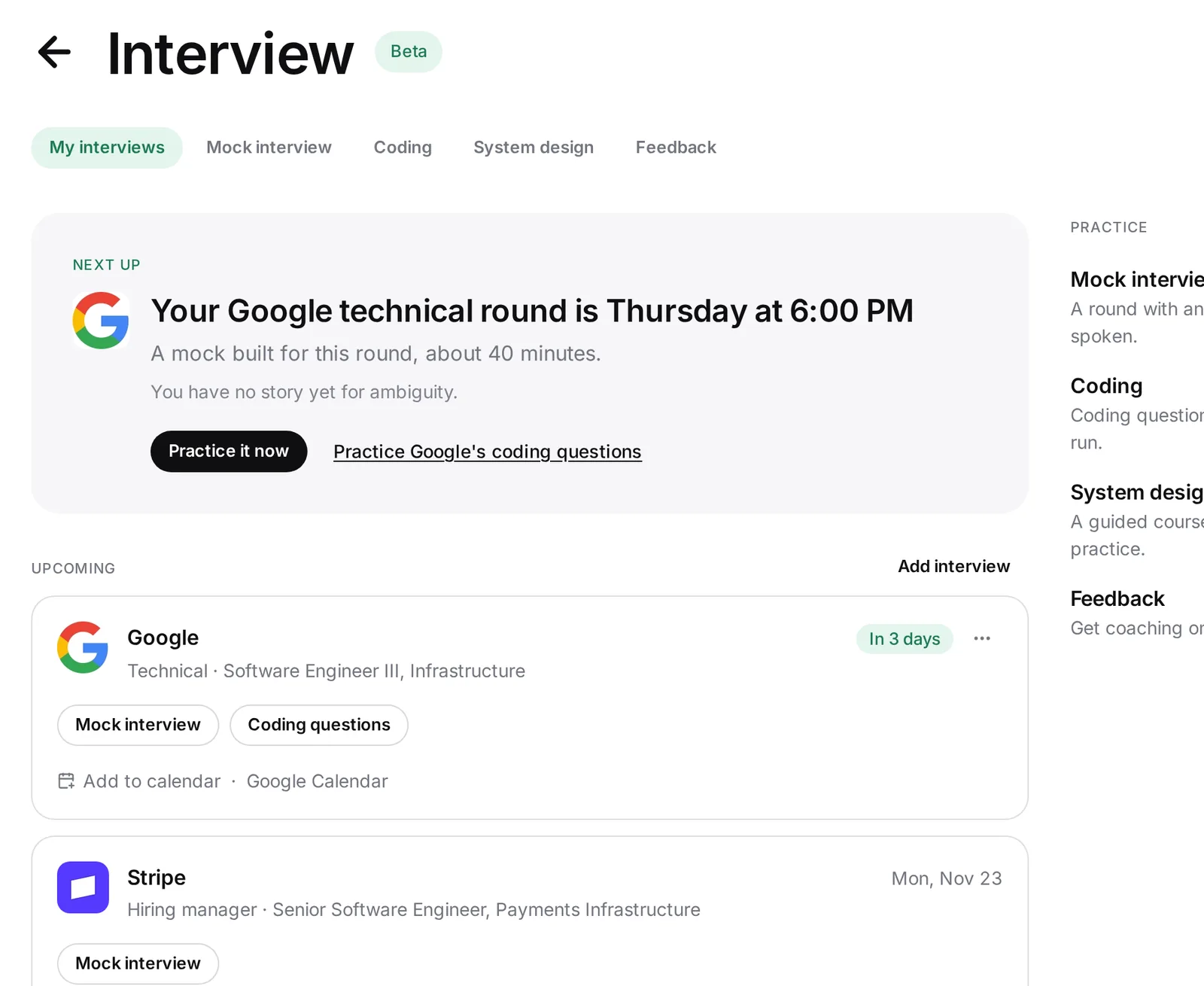
Each interview becomes a card in My interviews. Next up, at the top of the page, names the one thing to do now, such as Practice it now before a Google technical round on Wednesday.
- Step 3
Practice the round
Take a mock of that exact round, spoken by default or typed, and read its report. For a software engineering or data science technical round at a company in Tsenta's coding index, open that company's coding questions. If you are in a tech role and the loop includes system design, run a prompt on the clock.
- Step 4
Add the real transcript, then prep the next round
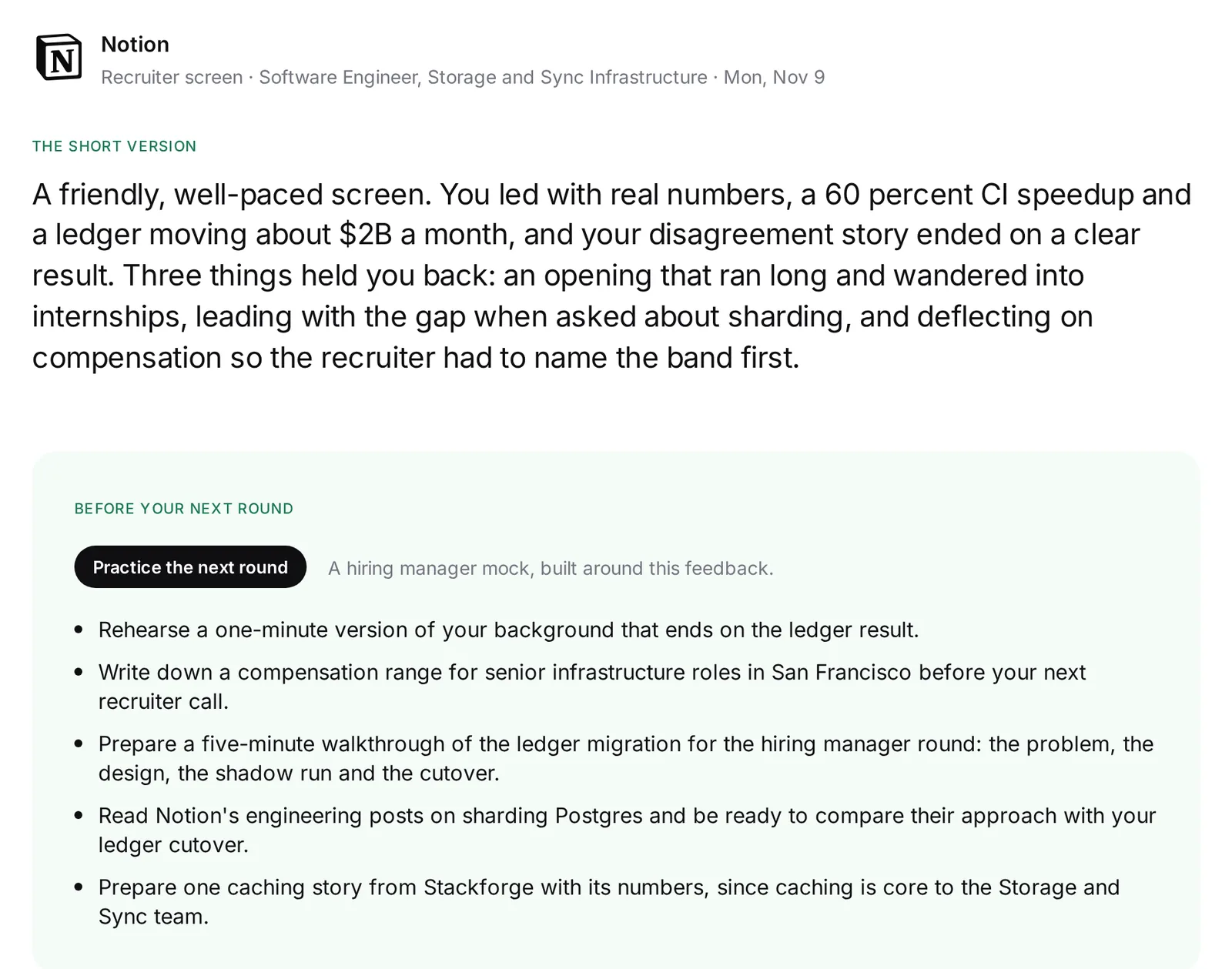
After the interview, press Add transcript on its card to see private feedback on your real answers. Then Prep for the next round builds a mock of the following round around that feedback.
My interviews: interview prep for every round you have
My interviews is the first of the Interview tab's five sections, before Mock interview, Coding, System design and Feedback. It lists the upcoming and past interviews Tsenta reads from your job email beside any you added yourself, one card each, with the company, role, round and when.
Each card has one set of actions for before the interview and another for after. Before, it offers a Mock interview built for that round. Coding questions appears only for a technical round at a company in Tsenta's coding index, when the role is in software engineering or data science or Tsenta counts you as being in tech. After, it offers Add transcript, then View feedback and Prep for the next round.
Where Tsenta has the data, a row of links sits under the card. If the interview is linked to one of your applications, they open the résumé you sent and, when Tsenta has it, the posting's job description. They can also show people at the company, or add the round to your calendar or to Google Calendar.
One account from job application to final round
Because Tsenta already tracks your applications and their replies, an interview can be linked to the application it came from. A mock for a linked interview uses the posting's job description when Tsenta has it, so there is nothing to paste in.
When you reach a late round, the card also tells you if Auto Apply is holding off on applying to that company. The Tsenta assistant in the dashboard sidebar knows the Interview tab too, and can open a mock interview, a company's coding questions or system design for you. On a coding problem, it gives hints before answers and a full solution only when you ask.
Interview prep for software engineers and every other role
Mock interview and Feedback work for any job. Mocks draw on 2,000+ questions across 20 role-family packs and a general pack, so a nurse, an accountant and a civil engineer each practice questions written for their kind of work.
Tsenta shows Coding and System design to people in tech roles, based on the roles you search for and apply to, your interviews and your résumé. A software engineer can work a company's coding list in any of eight languages, run a system design prompt on the clock, then rehearse the technical round as a mock.
AI interview practice, not a live interview assistant
Tsenta does not join, listen to or record your real interviews. It is built for practice before an interview and feedback after it, and its mock interviewer says it is an AI practice interviewer.
Your practice stays yours. When you speak a mock answer, Tsenta keeps the words, not the audio, and from an uploaded transcript it keeps the text, not the file. Your reports live in your account, and feedback on a real interview is never shown to employers or other users.
Coding interview prep for Google, Amazon, Meta, Microsoft and Uber
- CompanyGoogle coding interview questionsGoogle's list is the longest of the five: 2,400+ questions on public, community-kept lists, and 52% of them are medium.Read the Google page
- CompanyAmazon coding interview questionsSliding window shows up in 7% of the Amazon questions marked recently asked on public, community-kept lists, against 4% across Tsenta's coding bank. Amazon's full list has 2,100+ questions.Read the Amazon page
- CompanyMeta coding interview questionsAmong Meta's 1,400+ questions on public, community-kept lists, the ones marked recently asked lean on two pointers: 15%, against 7% across Tsenta's coding bank.Read the Meta page
- CompanyMicrosoft coding interview questionsMicrosoft has 1,400+ questions on public, community-kept lists. Of those marked recently asked, 9% are stack questions, against 5% across Tsenta's coding bank.Read the Microsoft page
- CompanyUber coding interview questionsUber's 370+ questions on public, community-kept lists make the shortest list of the five, and breadth-first search comes up in 18% of them, against 7% across Tsenta's coding bank.Read the Uber page
Questions about AI interview prep
Start with the interview already in your inbox
Connect your job email and Tsenta lists your interviews, each with practice for its round.